App Name & Icon
Felix Travel is designed for easy rebranding. You can quickly customize the application name and app icons for both iOS and Android without modifying core source code. This makes it simple to adapt the app to your brand identity or client projects.
The structure follows standard React Native and platform-specific conventions, ensuring compatibility with App Store and Google Play requirements.
Change the app Bundle ID
Android
Searching “com.passionui.felix” in folder ./android/… then modify it
Example:
/android/app/build.gradle
android {
    ...
    defaultConfig {
        applicationId "com.passionui.felix"
        minSdkVersion rootProject.ext.minSdkVersion
        targetSdkVersion rootProject.ext.targetSdkVersion
        versionCode 35
        versionName "1.2.3"
        resConfigs "en"
    }
    ...
}
iOS
Using Xcode and open ios project then modify it
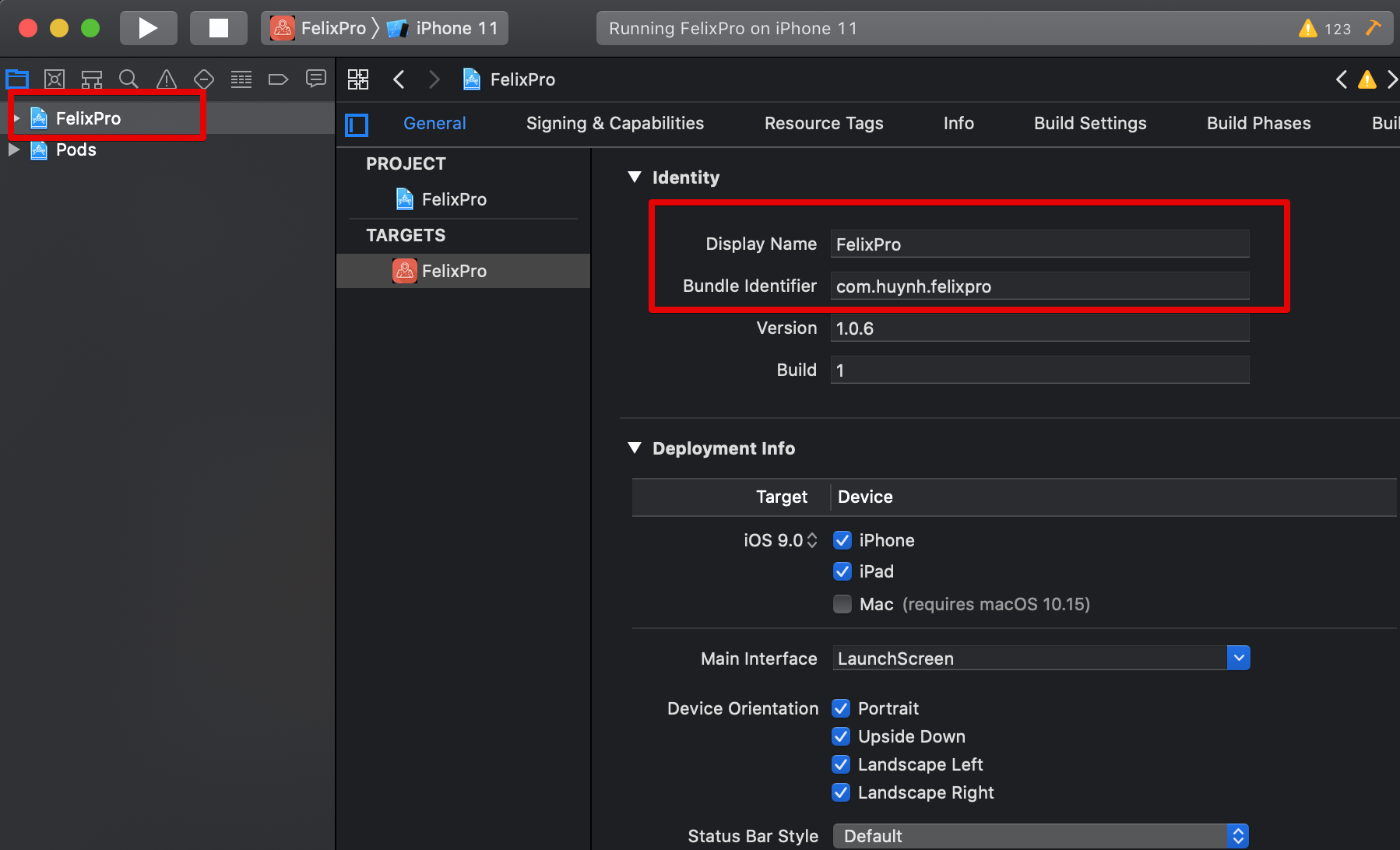
Change App Name
Android
android/app/src/main/res/values/strings.xml
<string name="app_name">Felix Travel</string>
iOS
ios/Runner/Info.plist
<key>CFBundleDisplayName</key>
<string>Felix Travel</string>
Change App Icon
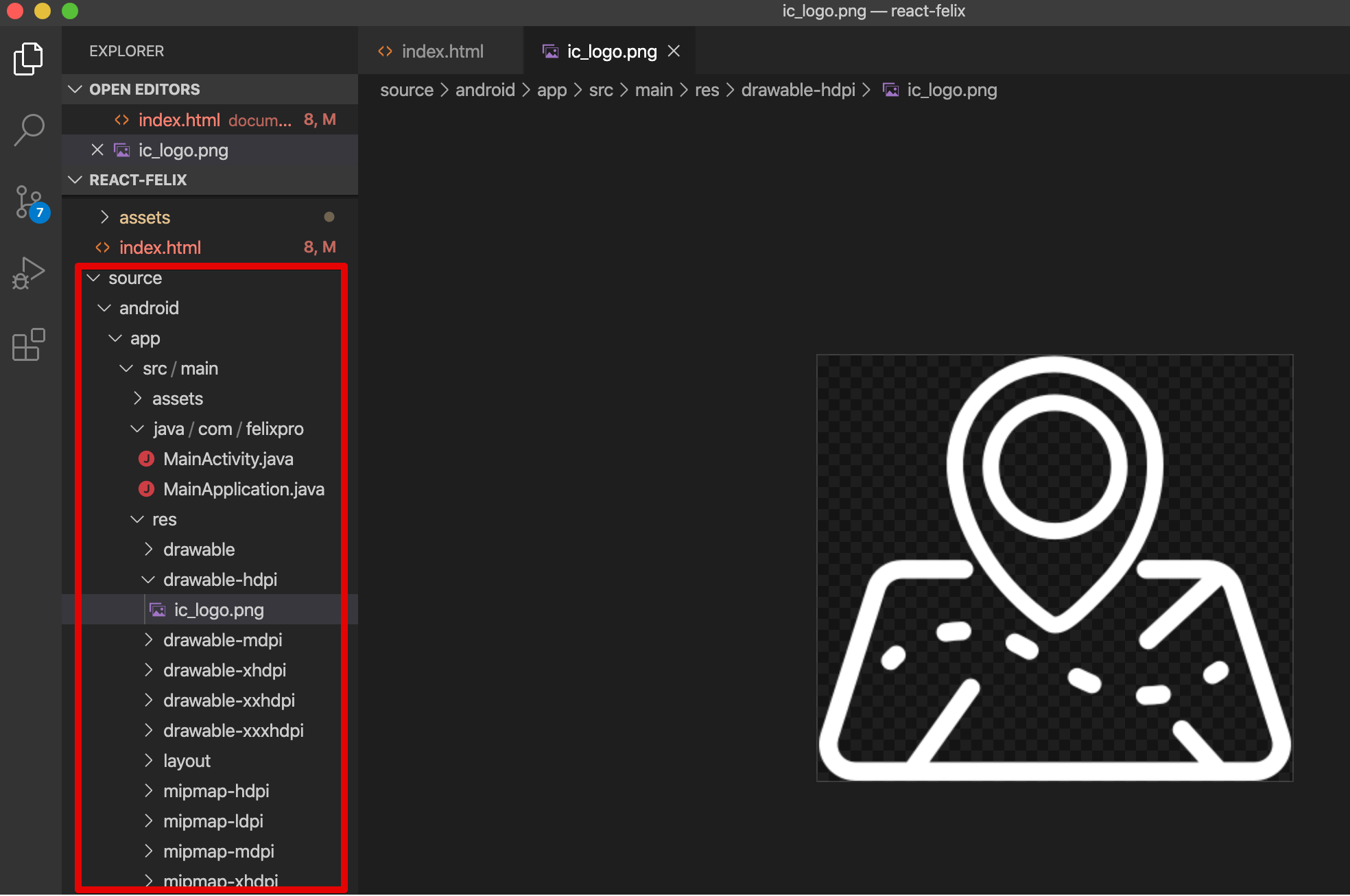
Android
Replace icons inside:
android/app/src/main/res/mipmap-*
Recommended size: 1024×1024 PNG
iOS
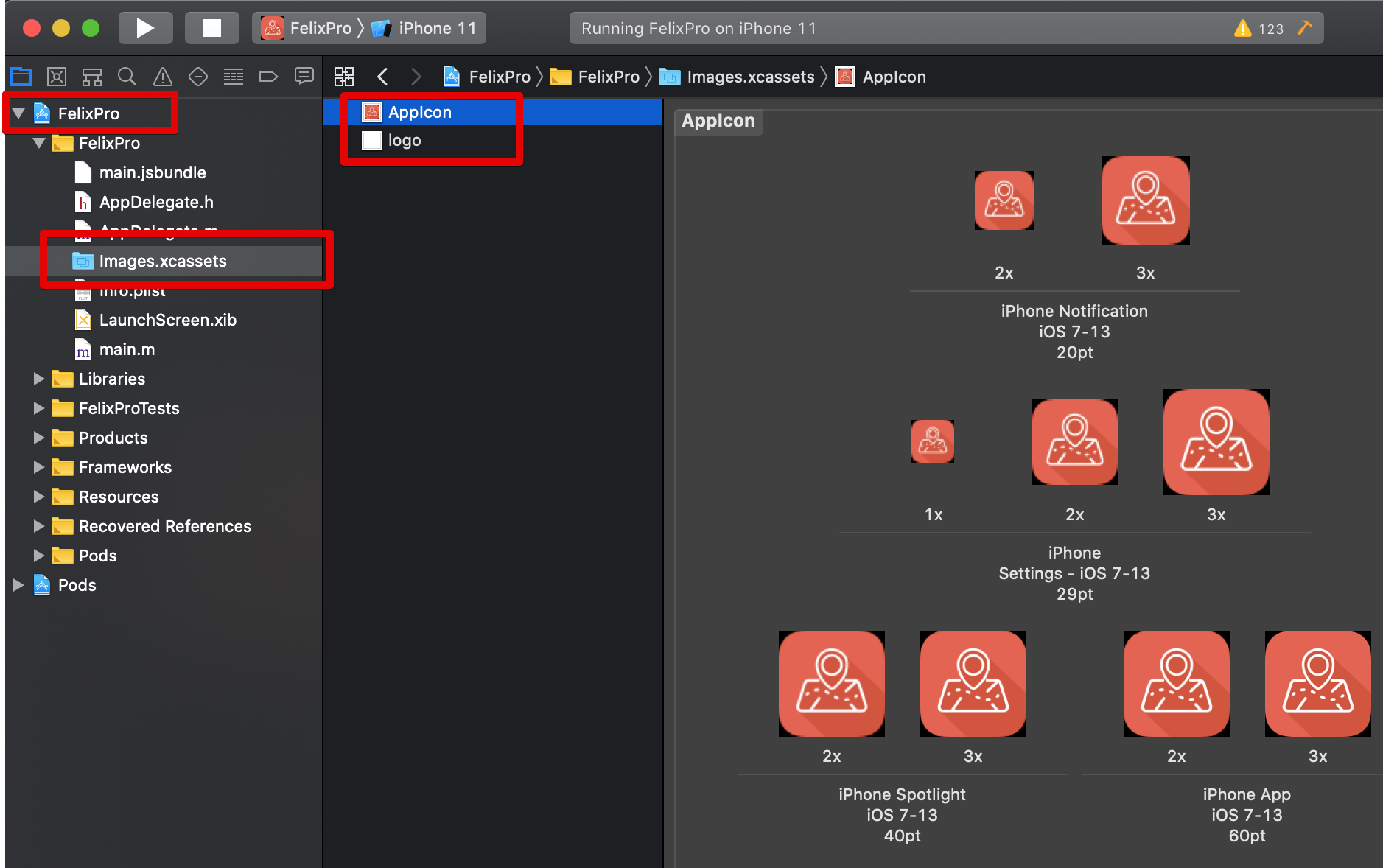
Use Xcode:
- Open
Runner.xcworkspace - Go to Assets.xcassets
- Replace
AppIconimages
Rebuild App
After changes, rebuild the application:
npx react-native run-ios
npx react-native run-android